Logout Confirmation Popup
Overview
The Logout Confirmation Popup for iOS prevents accidental logouts by prompting users to confirm before exiting. It supports seamless workflows and integrates with Omega AI’s authentication and session management systems for a consistent cross-platform experience.
Integration with Existing OmegaAI Features
Authentication System: Prevents accidental logouts, supporting secure sessions alongside OTP, PIN, and MFA.
Cross-Platform Consistency: Ensures a unified user experience by mirroring the logout process on desktop and Android.
Session Management: Ensures session tokens are cleared only after user-confirmed logout.
Key Behaviour
- When tapping the Logout button in the iOS app:
- A pop-up appears with:
- Title: “Log out?”
- Message: “Are you sure you want to log out of your account?”
- Buttons: Cancel (dismiss) and log out (confirm)
- A pop-up appears with:
- If Cancel is tapped:
- The user remains on the current screen.
- No action is performed.
- If log out is tapped:
- The session token is cleared.
- The user is redirected to the login/welcome screen.
Common Workflows
Logging Out with Confirmation
- Tap the Profile icon in the app.
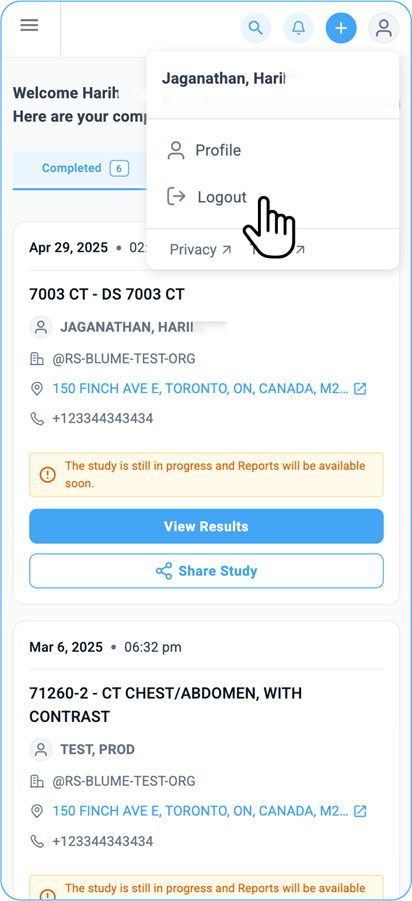
- Navigate to the Settings section.
- Tap the Logout button.
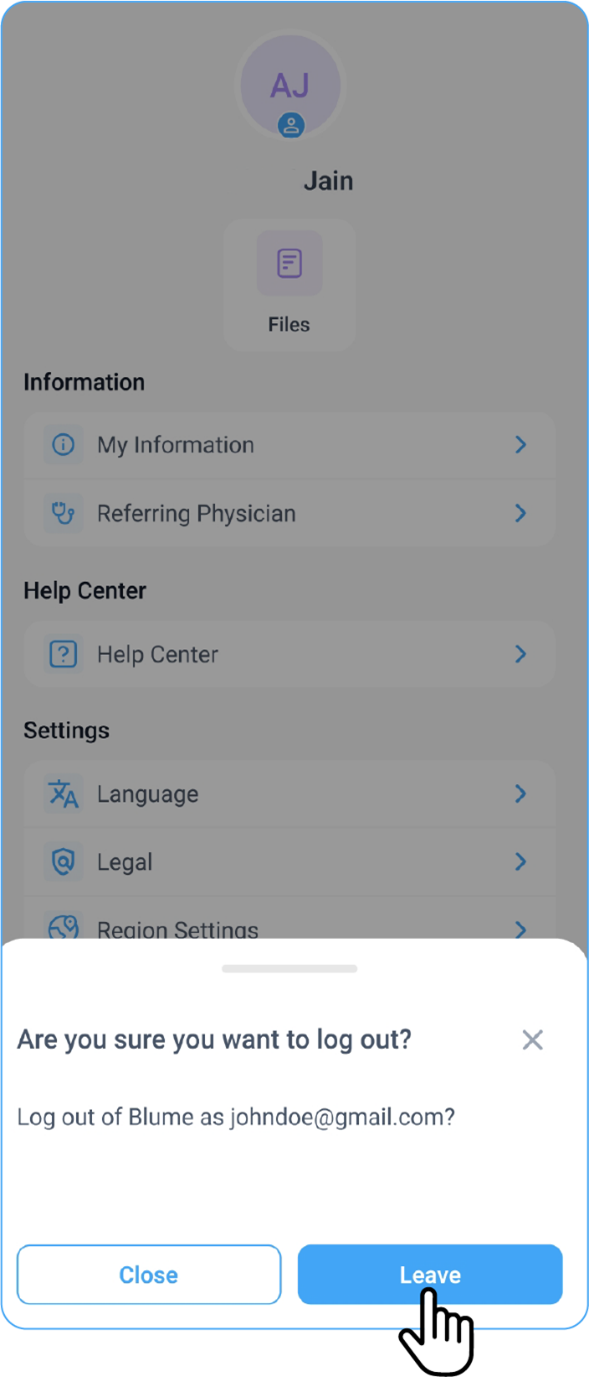
- A confirmation popup appears with the following options:
- Tap Cancel to stay logged in and return to the current screen.
- Tap Log out to confirm the action, clear your session token, and be redirected to the Login/Welcome screen.

Example Scenario: Preventing Accidental Logout
If a user accidentally taps the Logout button while navigating the app, the confirmation popup ensures they don’t lose their session unless they explicitly choose to log out.
Troubleshooting
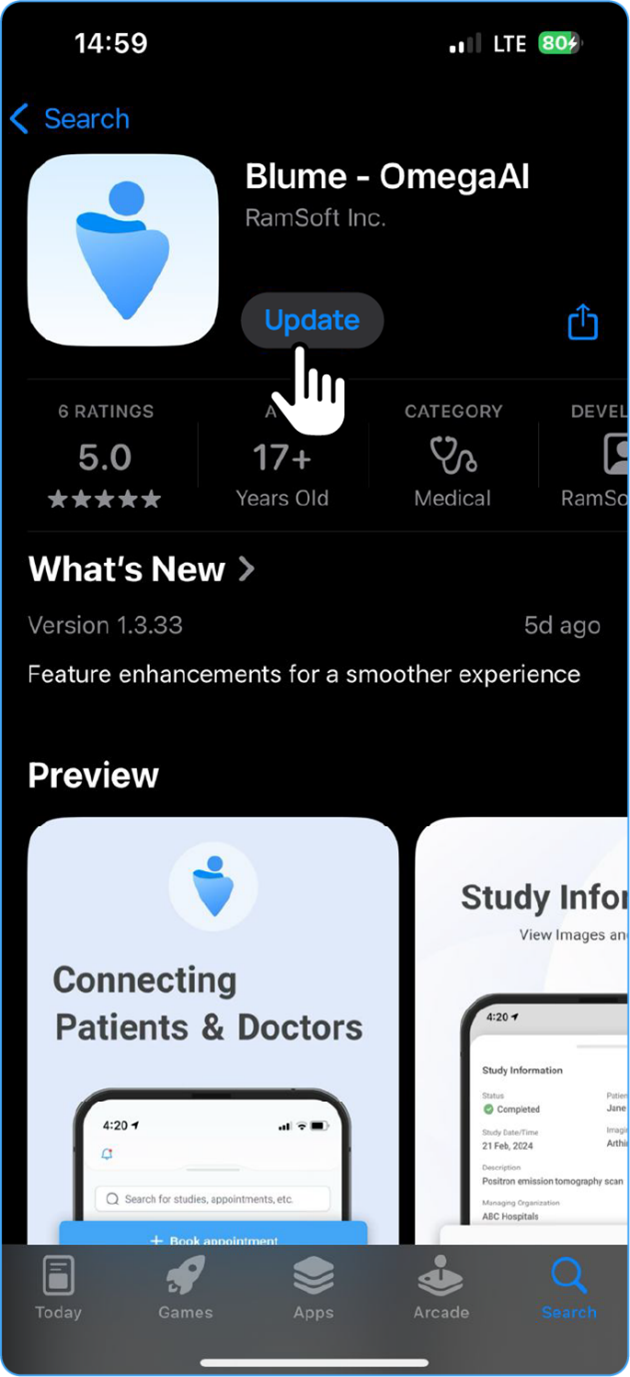
- Popup doesn’t appear:
- Update the app via the App Store.
- Restart the app.
- If unresolved, contact OmegaAI Support.
- Accidental logout:
- Re-authenticate using your phone number or email.
- Refer to the login documentation if the login fails.
- Session not cleared:
- Restart the app.
- For recurring issues, contact Support.